How to opt out of Spokeo
1. Find your matching record
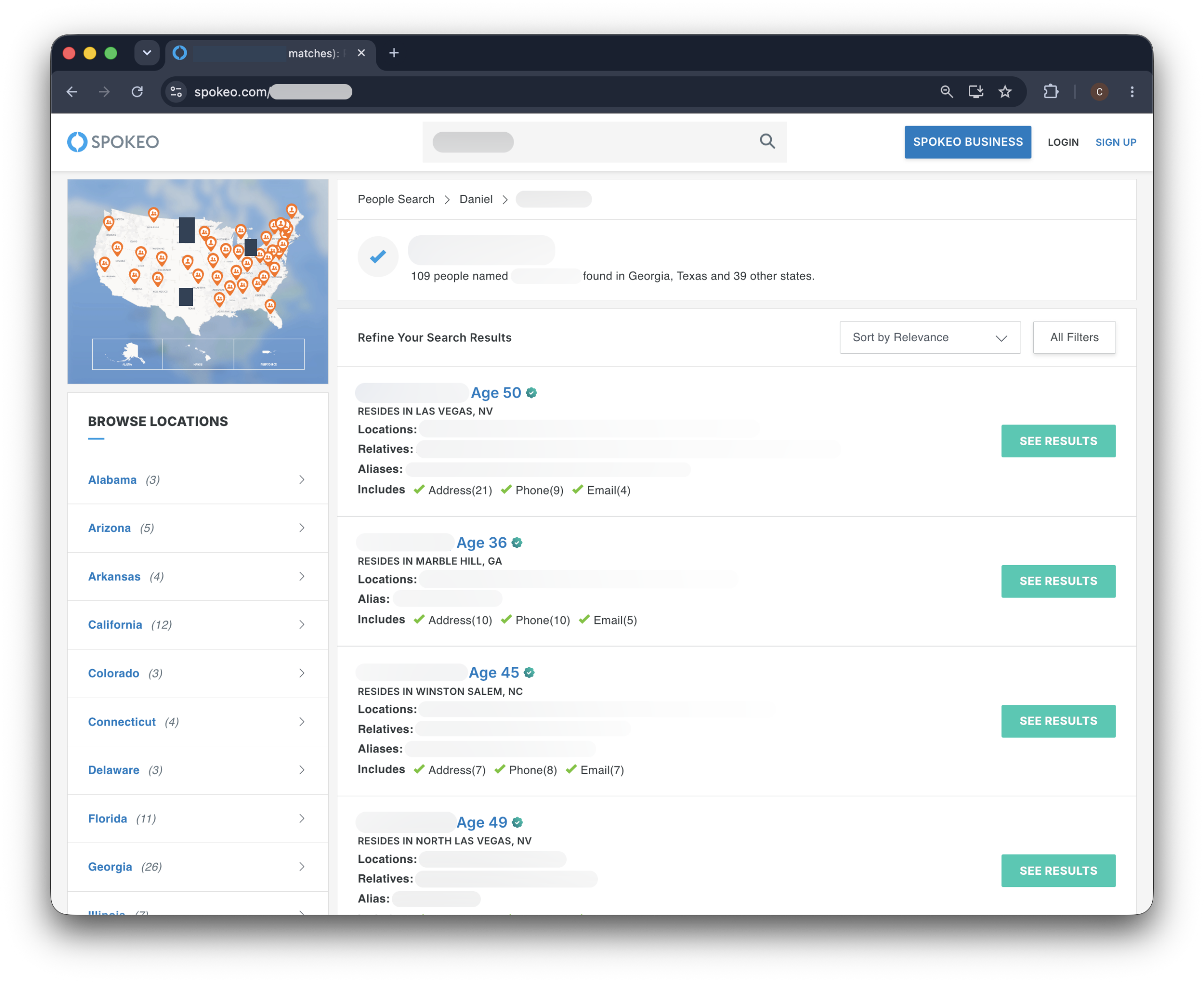
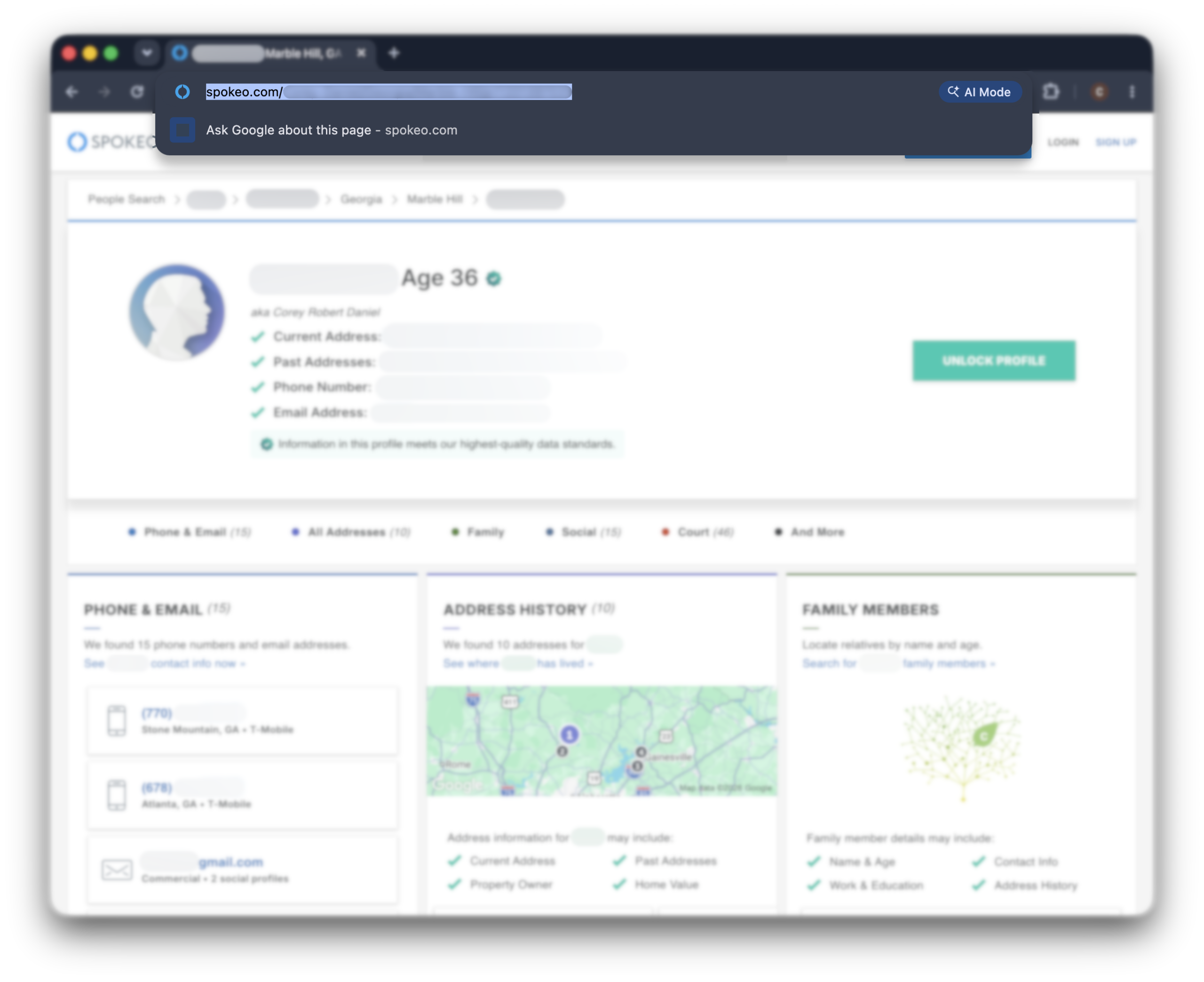
Search Spokeo for your name. Narrow the results by state and city, then check that the profile belongs to you. A shared name alone is not enough.
These instructions describe published request steps, not a removal tested here. Follow the live official form if it differs.
2. Copy the record address
Open the individual profile and copy its complete URL from your browser. Keep a separate URL for each matching listing. The official form also shows a supported purchase-page URL example; you do not need to buy a report.
3. Use the Spokeo opt-out form
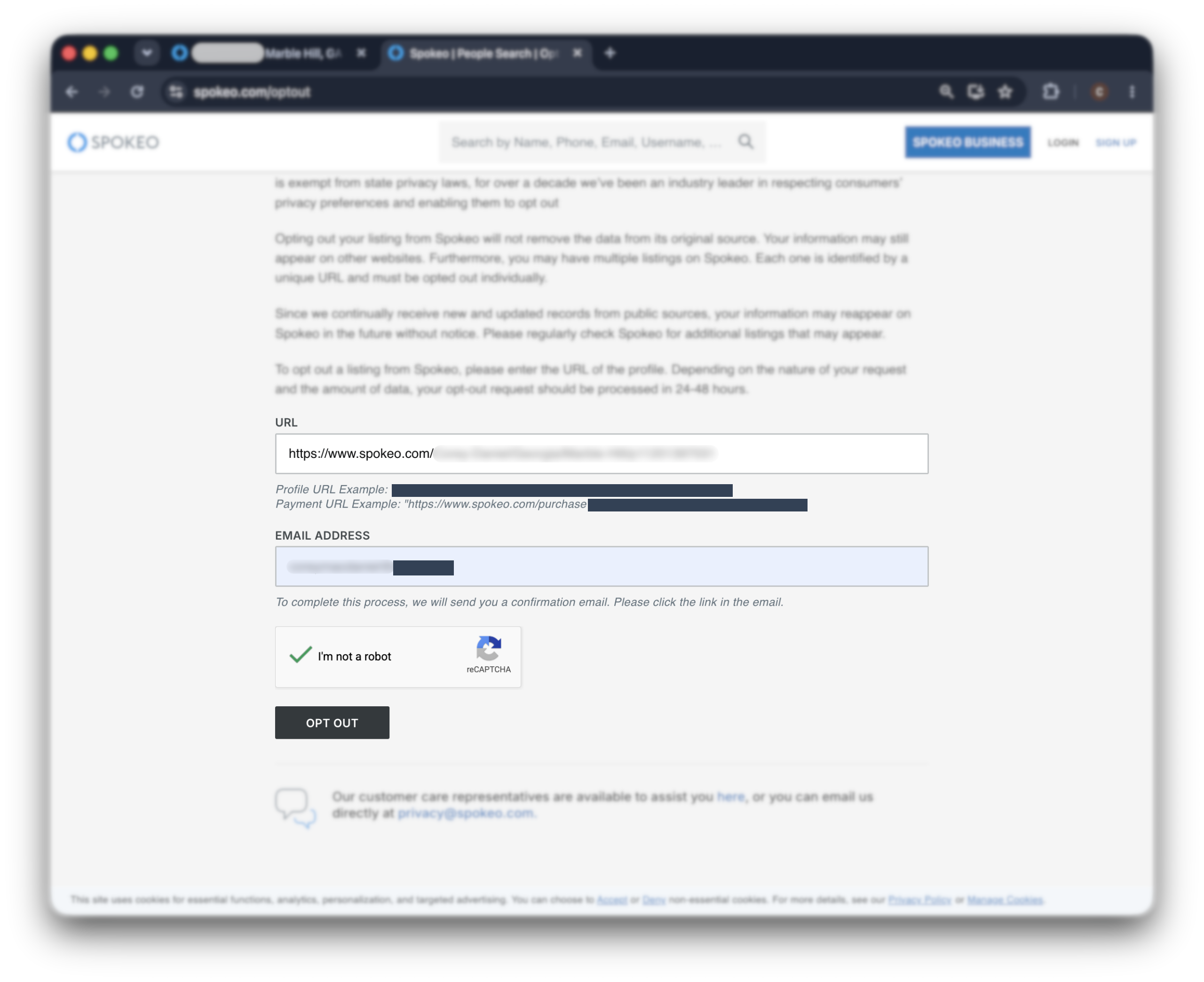
Open the official opt-out page and scroll to Opt Out Your Listing from Spokeo. Paste the listing URL, enter an email address you control, complete the live CAPTCHA and choose Opt Out.
Open Spokeo's official request route
4. Open the verification email
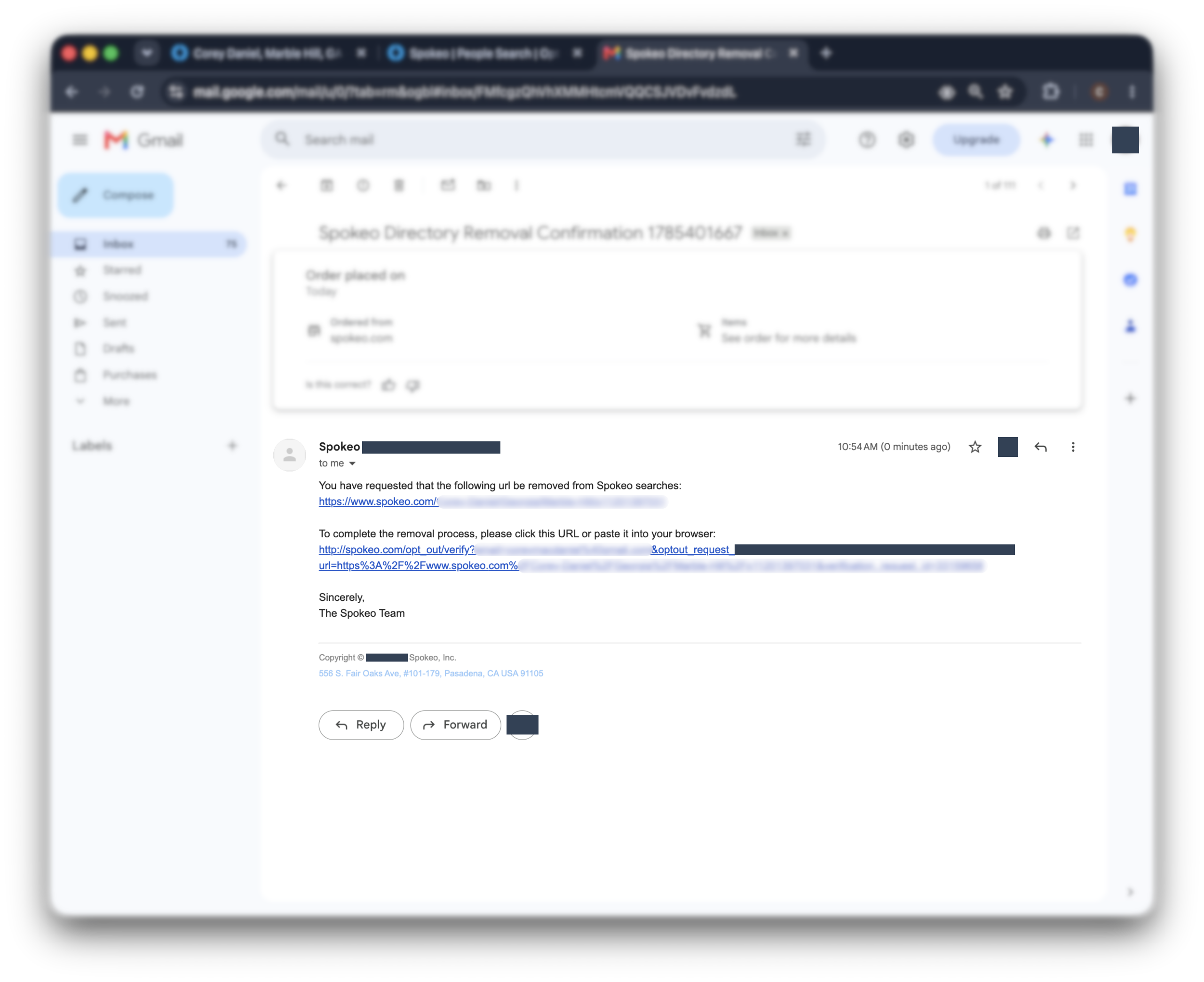
Open the confirmation email sent to the address you entered and click its confirmation link. Check that the destination belongs to Spokeo before continuing. If you cannot find the message, check your spam folder.
What happens next
Spokeo says an opt-out request should be processed in 24 to 48 hours, depending on the request and amount of data. Complete its email confirmation first, then check the actual listing. This is published guidance, not a measured result or guaranteed deadline.
Save the submitted listing URL or identifying details, request date and every response. Received, processing and completed are different states.
After the site reports completion, check the original listing and search again for matching records. A temporary error, access block or empty search alone does not prove deletion.
Check other websites separately. Keep a reminder to review the original site again, rather than assuming one request protects every copy forever.
Spokeo says each distinct listing URL must be opted out individually and that new public records can cause information to reappear without notice. Save each URL, check again after completion and periodically repeat the search for new matching listings.
What removal covers
Spokeo is a people-search service that aggregates publicly available information from third-party sources. Opting out of its listing does not change the original source.
Its FAQ describes reports that may contain names, addresses, phone numbers and email addresses, depending on the search type and available records. Results can be incomplete or inaccurate.
- What this request covers
- The request concerns this site's matching personal record. It does not automatically remove original public records or the same information from unrelated websites.
- Search results
- A search result can lag behind the underlying page. Check the actual listing separately from Google or other search engines; this guide does not promise a delisting deadline.
- Browser privacy
- Cookies and advertising controls are separate from a people-search listing. Use the site's current privacy settings for those choices.
Having trouble?
The URL or confirmation does not work
If the confirmation message does not arrive, check the inbox and spam folder for the address you supplied. If the URL or request still fails, use Spokeo's official contact route or privacy@spokeo.com with the listing URL and request details. Do not buy a report to request removal.
I have multiple profiles
Spokeo says each distinct listing URL must be opted out individually and that new public records can cause information to reappear without notice. Save each URL, check again after completion and periodically repeat the search for new matching listings.
The page is blocked or will not load
Try the official page again later in a current browser. Do not bypass an access challenge, buy a background report to unlock removal or treat a blocked page as a completed request.
A request is marked received, but the listing remains
Check the response for its status and any published processing guidance. Keep your original request details for a follow-up through the site's official privacy or support route.
Google still shows the old result
Open the underlying page first. If it has genuinely changed or disappeared, you can use Google's Refresh Outdated Content tool. This is a separate process, not a promise of immediate search removal.
Spokeo opt-out FAQs
Where is Spokeo's official opt-out form?
Use https://spokeo.com/optout and the section titled Opt Out Your Listing from Spokeo. Enter the specific listing URL, not a Google search result.
Do I need to confirm an email?
Yes. Spokeo says to follow the link in its confirmation email to complete the process.
How long should processing take?
Spokeo says an opt-out request should be processed in 24 to 48 hours, depending on the request and amount of data. Complete its email confirmation first, then check the actual listing. This is published guidance, not a measured result or guaranteed deadline.
Can information reappear?
Spokeo says each distinct listing URL must be opted out individually and that new public records can cause information to reappear without notice. Save each URL, check again after completion and periodically repeat the search for new matching listings.
Does this remove the original public records?
No. Spokeo says its opt-out does not remove information from the original source or other websites.
Sources and method
By Protect My Data editorial team Prepared Updated
- Spokeo: official guidanceProfile URL and email, confirmation link, individual requests for distinct URLs, conditional 24–48-hour processing, privacy@spokeo.com and new-record recurrence. Read 12 October 2026. No request was submitted or outcome tested.
- Spokeo: official guidanceSearch types, potential displayed fields, location/profile matching and CAPTCHA/email opt-out instructions. Read 12 October 2026. No request was submitted or outcome tested.
Official opt-out and FAQ guidance read 12 October 2026. Existing historical interface examples are retained with their original captions, not presented as newly captured or tested screens. No search, personal details, verification email or submission was involved. Later steps and outcomes were not tested. Processing times are Spokeo's statements, not a removal measured here.
- What data brokers doUnderstand why the original record and each broker's copy are separate.
- Protect your phone numberReduce future contact exposure without mistaking a listing opt-out for spam blocking.
- Manual removal or a managed serviceCompare the options after following the free instructions.
Quick calculator
What does doing it yourself cost?
Adjust the numbers to see how repeated opt-out work could add up over a year. This is an illustrative personal estimate in US dollars.
Illustrative only. It does not measure removals, show plan savings or guarantee any result.
How this is calculated
hours = brokers x minutes per request x times per year / 60; value = hours x value of one hour