Digital Footprint Cleanup Guide for Safer Privacy
Key takeaways
- A digital-footprint review should separate public broker profiles from accounts and content you control.
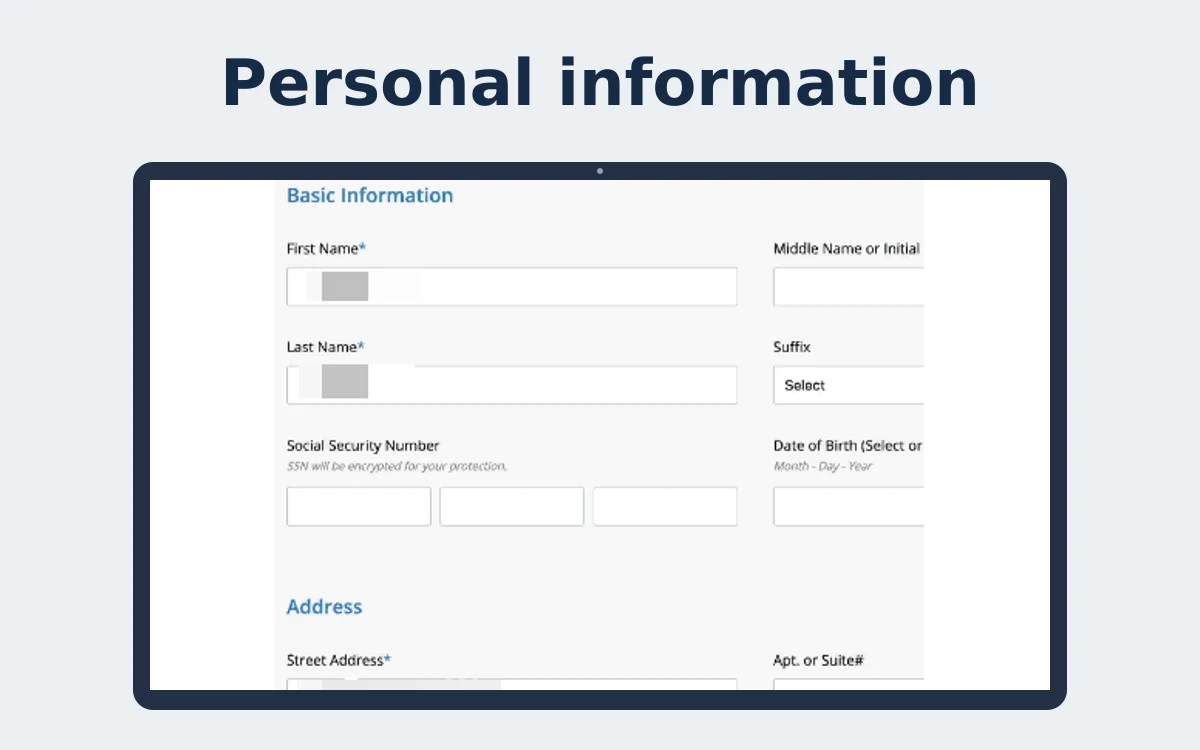
- Search for address and contact exposure carefully; avoid redistributing sensitive screenshots.
- Remove or restrict information at the source where possible, then address copied broker listings separately.
- Review privacy settings and old accounts periodically, especially after a move or change in contact details.
A stranger should not be able to search your name and find your home address, mobile number, relatives, age, past addresses, or social profiles in minutes. Yet that is exactly what data broker sites and public records aggregators make possible. This digital footprint cleanup guide helps you reduce that exposure, identify what is putting you at risk, and build habits that keep your personal information from spreading again.
This is not about disappearing from the internet. That is rarely realistic, especially if you own property, vote, run a business, have a professional profile, or use social media. It is about removing the information that makes you easy to locate, contact, profile, impersonate, or target.
Start With a Clear Picture of Your Exposure
Before you can clean up your digital footprint, you need to see it the way a spammer, scammer, stalker, or identity thief might. Search your full name in quotation marks, then try common variations: your name with your city, employer, phone number, or former address. Search your phone number and email address separately as well.
Pay attention to the results that reveal more than a basic professional profile. A public-facing address, date of birth, family association, property record, or phone number can be combined with other details to create a much larger safety problem.
Data broker sites are often the biggest concern. These companies collect details from public records, marketing databases, social media, purchase data, and other sources. They package it into searchable people profiles that may include current and previous addresses, relatives, phone numbers, estimated income, and other sensitive information.
Take screenshots or make a simple record of the sites where you find your data. Save the exact profile URL if available, along with the information shown. This makes removal requests easier and helps you verify whether a listing has actually disappeared.
Digital Footprint Cleanup Guide: Remove High-Risk Data First
Not every old account deserves the same level of attention. Start with information that creates an immediate personal safety, fraud, or harassment risk.
Your home address is the priority, particularly if you have children, have dealt with unwanted contact, work in a public-facing role, or simply value the right to keep your home private. A phone number is also highly valuable to scammers. It can lead to phishing texts, social engineering attempts, account takeover efforts, and persistent sales calls.
Family associations deserve attention too. When a broker profile connects spouses, parents, adult children, or other relatives, it gives bad actors more ways to reach you or verify personal details. Old addresses matter because they can be used in identity verification questions and can reveal patterns about where you have lived.
Work through these areas first:
- Data broker and people-search profiles that display your address, phone number, relatives, or age
- Social media posts that reveal your location, school, workplace, travel routine, or family details
- Old accounts containing personal information that you no longer use
- Public profiles, directories, and documents that unnecessarily expose contact details
The goal is not to erase every mention of your name. A press mention, a legitimate business listing, or a professional bio may be useful or necessary. The question is whether the information is public for a reason and whether the exposure is worth the risk.
Handle Data Broker Opt-Outs With Care
Many people-search sites offer opt-out forms, but the process can be frustrating. You may need to locate the correct profile, provide an email address, verify a request, and wait for the site to process it. Some sites ask for identification to confirm ownership. Never send more documentation than a site genuinely requires, and redact unnecessary details when possible.
There is another catch: a successful opt-out is not always permanent. Data brokers routinely refresh their databases from new sources. A profile removed this month can reappear later with a new address, a changed record format, or a slightly different version of your name.
That is why one-time cleanup efforts have limits. DIY removal can reduce visible exposure, but it requires ongoing checks across a large and changing ecosystem. If privacy is a serious concern, continuous monitoring is more practical than treating removal as a task you complete once and forget.
Protect My Data monitors more than 300 data brokers daily and works to remove and keep sensitive records suppressed over time. For people who do not want to spend their evenings tracking opt-out pages and checking whether old profiles have returned, managed removal can turn an exhausting process into a sustained privacy defense.
Tighten the Accounts You Keep
Data brokers are only one part of your digital footprint. The accounts you actively use can reveal far more than you intend when privacy settings are left open.
Review your social profiles with a skeptical eye. Make personal accounts private where it makes sense, remove your phone number and home city from public sections, and limit who can see your friends or follower lists. Avoid posting real-time location updates, photos that reveal house numbers or license plates, and public birthday announcements that provide easy verification details.
For professional networking accounts, keep what supports your work and remove what does not. You can usually list your role, industry, and general region without publishing a personal phone number, home address, or detailed employment history. Public visibility can be useful for career opportunities, but it should be intentional.
Then review old accounts. Forgotten shopping profiles, forums, fitness apps, photo-sharing services, gaming accounts, and unused email addresses can all hold personal data. Close accounts you no longer need. For accounts you keep, delete saved payment methods, old shipping addresses, and outdated personal details.
Reduce What You Share Going Forward
A cleanup is most effective when you stop feeding unnecessary data back into the system. Before entering information into a form, ask whether it is required for the service or simply requested for marketing and profiling.
Use a separate email address for retail signups, promotions, and newsletters. Consider using a secondary phone number for situations where a business insists on one but does not need to contact you about a sensitive matter. These small boundaries can reduce how often your primary contact details are passed through advertising networks and data-sharing partners.
Be careful with loyalty programs, giveaways, quizzes, and apps requesting access to contacts, precise location, microphones, or photo libraries. Some permissions are legitimate for an app's function. Others are excessive. If a weather app does not need your contacts or a coupon app does not need your location at all times, deny the request.
Also protect your accounts from being used as a new source of personal data. Use unique passwords, enable multi-factor authentication, and watch for breach notices. A breached account can expose names, email addresses, dates of birth, purchase histories, and other details that eventually reach scammers or brokers.
Know What Cannot Be Easily Removed
Some exposure comes from government records, court filings, property ownership records, professional licenses, voter rolls, or business registrations. Rules vary by state and by record type. In some cases, a record is public by law even when you have a strong reason to want it hidden.
That does not mean you have no options. You may be able to request redaction for certain documents, use an approved address confidentiality program, update a business mailing address, or limit how a public record is republished by commercial sites. If you face stalking, domestic violence, threats, or harassment, document the issue and seek guidance from local victim services, legal counsel, or law enforcement as appropriate.
Privacy work is not about perfection. It is about making you harder to find, harder to profile, and harder to exploit. Every address removed, outdated account closed, and unnecessary data request denied reduces the amount of personal information available to people who have no business having it.
Set a recurring reminder to review your exposure, but do not wait for a frightening call or suspicious message to act. Your personal information has value to data brokers, marketers, and criminals. Treat it like the asset it is, and keep control of it in your hands.
What belongs in a digital-footprint review?
Include public search results, people-search profiles, old social accounts, business listings, and personal details on pages you control. Distinguish content you published from data assembled by a broker, because the removal route differs.
Search name variations with a city, phone, or old address. Record only the relevant URLs and exposed fields privately, and avoid adding the same sensitive information to new search tools unnecessarily.
How do you clean up accounts you control?
Review profiles, audience settings, old posts, location sharing, and account recovery details. Delete unused accounts when practical, or reduce visibility and remove unnecessary contact fields if the account must remain active.
A post deletion may not remove screenshots or copied versions. For content hosted by another publisher, contact the site or follow its privacy process rather than assuming a search engine can erase the source.
How should broker listings be handled?
People-search profiles require a separate opt-out from the source page or the broker's privacy channel. Confirm the profile belongs to you, save the exact URL, and use the current instructions for that operator.
Repeat the check after a change that could create new records, such as moving or updating a public profile. Treat a missing search snippet as inconclusive until the original page is checked.
How can you avoid creating more exposure?
Share less data in public profiles and forms, review app permissions, and use distinct contact aliases where appropriate. Keep dependable contact methods for essential services and account recovery.
No cleanup can make every historical mention disappear. Focus on details that create direct contact or location risk, and use account security controls for credentials rather than expecting content removal to prevent account misuse.
At a glance
| Footprint source | First action | Follow-up |
|---|---|---|
| Account you own | Edit privacy settings or remove account | Check old posts and recovery details |
| Broker profile | Submit operator-specific opt-out | Verify source page |
| Third-party article | Contact publisher or use its policy | Check public copy and indexing |
| Public record | Review agency-specific options | Do not expect broker request to alter source |
Run a focused footprint cleanup
Search name variations and note sensitive public results privately.
Secure and review accounts you control.
Request removal from broker pages at the operator source.
Reduce unnecessary data sharing and app permissions.
Recheck priority URLs after changes or new exposure.
Footprint cleanup paths
Classify each result by owner so the correct removal or privacy route can be used.
- Find result
- Classify source
- Edit own account or request broker opt-out
- Check third-party policy
- Recheck priority details
Frequently asked questions
Can search engines remove every old mention?
No. Source publishers and search indexes are separate.
Should I publish screenshots to ask for help?
Avoid sharing screenshots that reveal an address, phone, or relatives.
Will account privacy settings hide a broker record?
No. Broker records require a separate route.
Sources
Related privacy guides
- check for public broker exposure
Use an exposure check when broker profiles are the specific concern.
- review the removal process
See how broker requests differ from cleaning accounts you control.
- review supported sites
Compare found profiles with current site scope.
- compare managed removal options
Consider help for the broker-removal portion of a broader cleanup.
- understand people-search profiles
Read the guide to profile structures and site-specific suppression.
About the author
Investigations & Data Privacy. Jonah covers data-broker practices, the circulation of personal information, and practical ways people can understand and reduce their online exposure.