How to opt out of Hunter.io
1. Use the relevant business email
Open Hunter.io's request page below. Read the live instructions before entering anything; use its privacy link if the old route has moved. Provide the business email associated with your contact record in the official form. If you no longer control it, use the broker's published privacy-support alternative.
These instructions describe published request steps, not a removal tested here. Follow the live official form if it differs.
Open Hunter.io's official request route
2. Open the verification email
Check your inbox and spam folder for Hunter.io's request message or the named request processor. Check its destination before following the verification link.
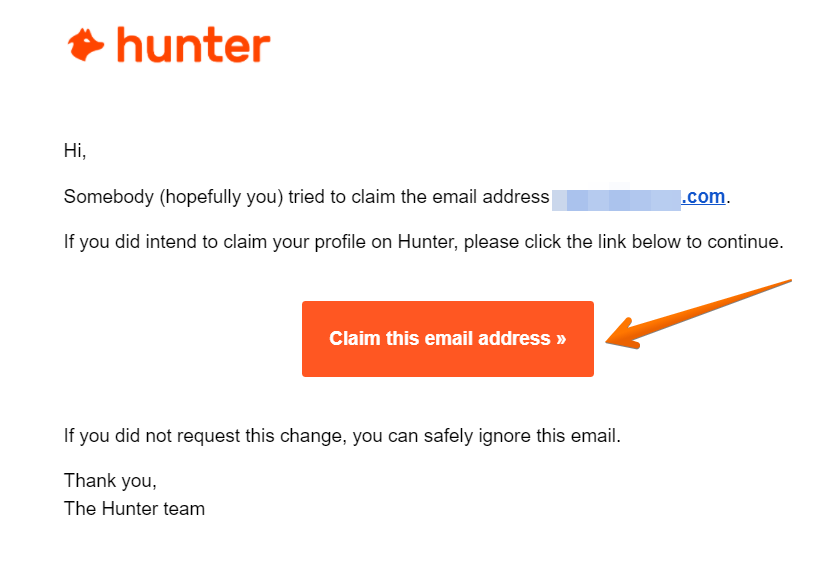
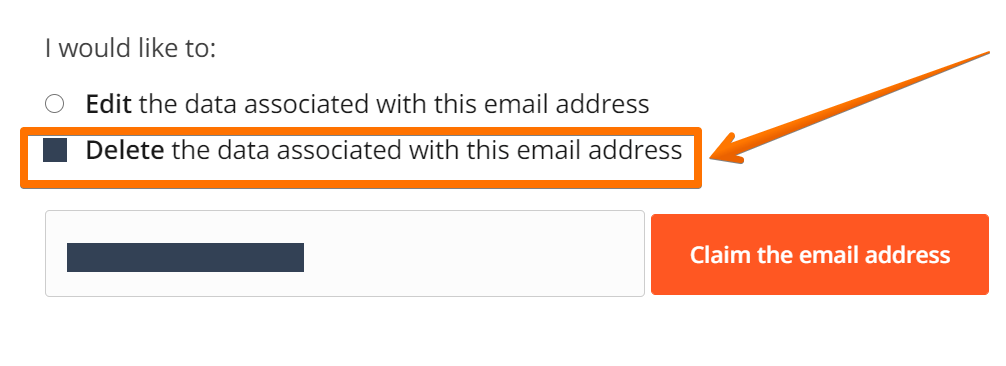
3. Select contact-record removal
After verification, select the displayed remove or delete option for your contact information. Read its scope before confirming; unsubscribe and profile removal are different.
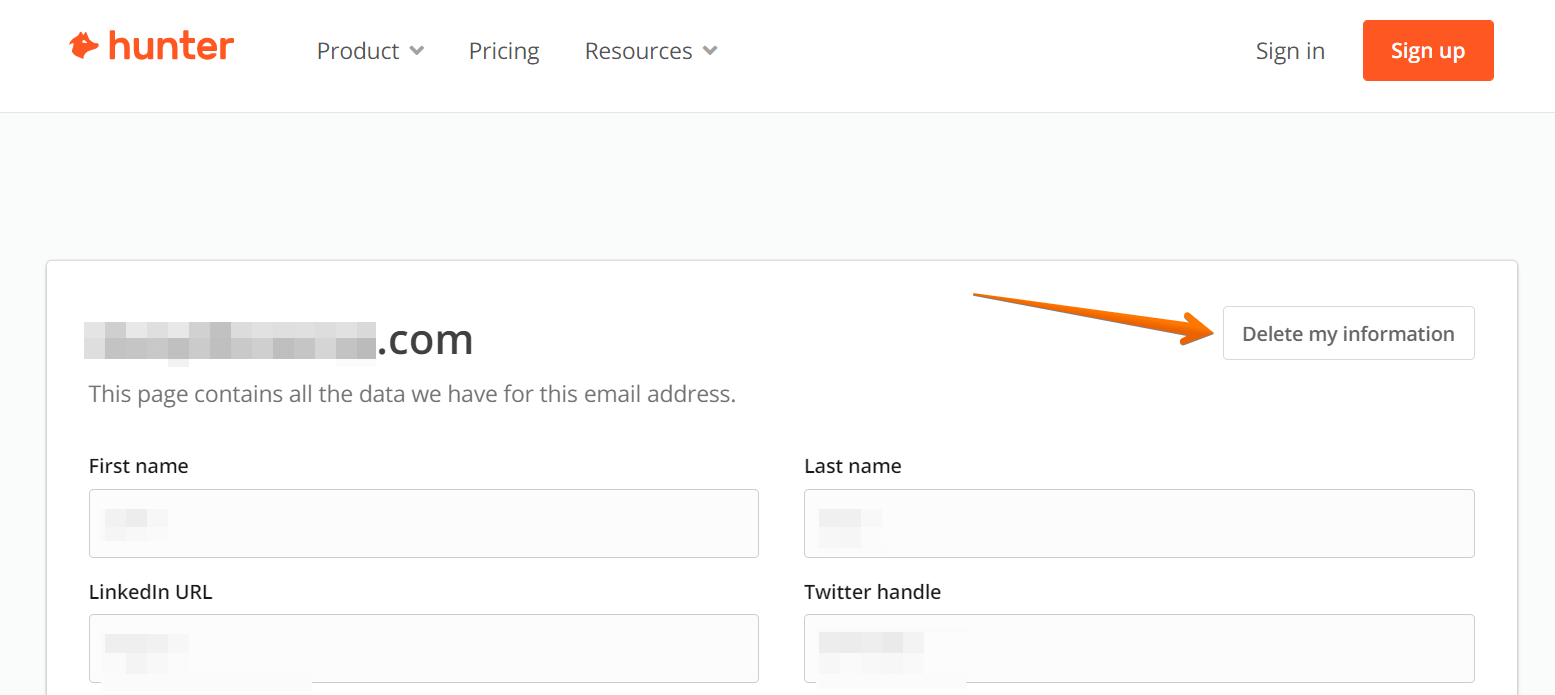
What happens next
Save the submitted listing URL or identifying details, request date and every response. Received, processing and completed are different states.
After the site reports completion, check the original listing and search again for matching records. A temporary error, access block or empty search alone does not prove deletion.
Check other websites separately. Keep a reminder to review the original site again, rather than assuming one request protects every copy forever.
What removal covers
This request concerns business-contact data or a directory profile. Unsubscribing from sales emails is not necessarily removal of the contact record.
- What this request covers
- This request concerns business-contact data or a directory profile. Unsubscribing from sales emails is not necessarily removal of the contact record.
- Search results
- A search result can lag behind the underlying page. Check the actual listing separately from Google or other search engines; this guide does not promise a delisting deadline.
- Browser privacy
- Cookies and advertising controls are separate from a people-search listing. Use the site's current privacy settings for those choices.
Having trouble?
The live form differs from these instructions
Follow Hunter.io's current official privacy options. Published pages can change; do not send identifying details to a different operator or an unverified replacement form.
The page is blocked or will not load
Try the official page again later in a current browser. Do not bypass an access challenge, buy a background report to unlock removal or treat a blocked page as a completed request.
A request is marked received, but the listing remains
Check the response for its status and any published processing guidance. Keep your original request details for a follow-up through the site's official privacy or support route.
Google still shows the old result
Open the underlying page first. If it has genuinely changed or disappeared, you can use Google's Refresh Outdated Content tool. This is a separate process, not a promise of immediate search removal.
Hunter.io opt-out FAQs
Where should I start with Hunter.io?
Use Hunter.io's official privacy route to request contact-record removal.
What does this Hunter.io request cover?
This request concerns business-contact data or a directory profile. Unsubscribing from sales emails is not necessarily removal of the contact record.
Which details should I provide?
Use the identifying fields required by the live official request, such as business email. Share only what is necessary and review any sensitive-document requirement.
How do I know the request is finished?
Keep the actual response and check its status. After the operator reports completion, review the matching record directly; a receipt, blocked page or elapsed time does not independently prove removal.
Does this cancel a subscription or erase all public records?
No. Account billing, original public records, search-engine results and other websites are separate. Use the appropriate official route for each.
Sources and method
By Protect My Data editorial team Prepared Updated
- Hunter.io: official request routePublic reference reviewed 8 October 2026. No personal information was entered and no request or verification was triggered.
- Hunter.io: privacy informationPublic information and navigation reference reviewed 8 October 2026. Follow current request and eligibility instructions.
- Hunter.io: website and privacy navigationStarting point for checking the live operator and privacy links; not proof of a successful request.
Public sources and available starting pages reviewed 8 October 2026. Interface examples from public guides are historical illustrations of the corresponding process, not personally tested current screens. Some official pages restrict automated access. No personal details, verification messages or submissions were involved. Later steps and outcomes were not tested. Follow the live official instructions if they differ.
Quick calculator
What does doing it yourself cost?
Adjust the numbers to see how repeated opt-out work could add up over a year. This is an illustrative personal estimate in US dollars.
Illustrative only. It does not measure removals, show plan savings or guarantee any result.
How this is calculated
hours = brokers x minutes per request x times per year / 60; value = hours x value of one hour